Zimbra memiliki banyak fitur unggulan yang dapat diandalkan untuk pengolah pesan di kantor anda
A Smarter Mailbox reduces time spent finding important emails
View inbox by message or by Conversation
Drag and drop messages into folders or onto Tag(s)
Share tags across applications and mailboxes
Messages may have multiple Tags and act as ‘virtual folders’
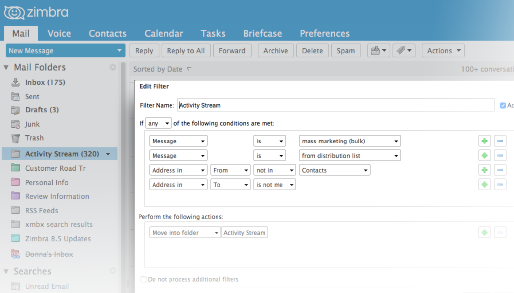
Instant filtering of direct messages, distribution lists, feeds, and notifications
Move bulk or unimportant email out of Inbox to Activity Streams
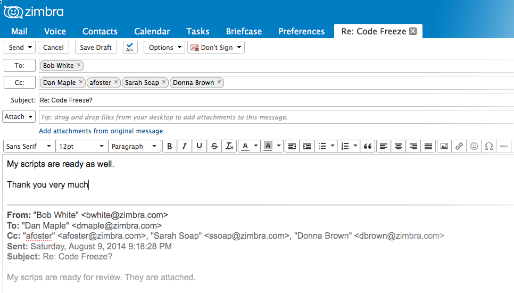
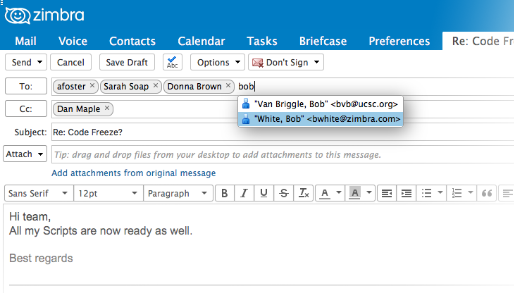
Email Compose Tabs eliminate the need for new windows with every message
Multiple email compose or calendar event tabs may be open at the same time
Tabs simplify context switching between email and calendar
Rich compose with cut and paste from desktop apps and inline images
Attach multiple files from either your computer or Briefcase
Autocomplete to contacts in your personal or Global Address List (GAL)
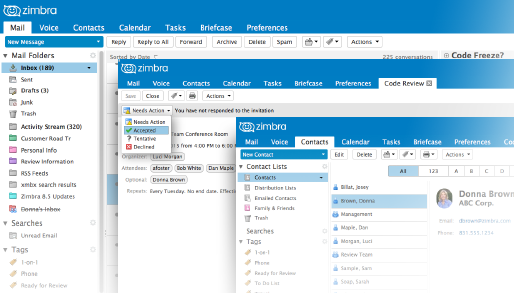
Integration of email, contacts and calendar makes toggling between them unnecessary
Preview your daily schedule next to a meeting invite in email
Drag a message onto the Email Calendar Widget to automatically create a meeting with the email recipients, including any attachments and email notes
Drag a message onto Contact Collector to add all message recipients to your Address Book
Recover gracefully with Undo Send, Restore Email and Scheduled Delivery
Choose a default delay time between 2 – 20 seconds for messages to be actually sent through the mail queue after hitting the Send button
Recover deleted items from the Trash folder for up to 30 days (administrator configurable)
Choose Send Later from the Send button drop-down to select a future date, time and even time zone to send an email
Simple sharing with Delegated Access to inbox or folders
Right-click on your inbox, a folder or sub-folder and share it within or outside your workgroup (administrators may disable public share if security policy does not allow it)
Grant others View, Manage or Administration rights
Allow delegates to reply ‘on behalf of’
Share message folders to collaborate with project teams
Calendar Feature
Robust calendar designed for the enterprise
Day, Week, Work Week, Month, List, Schedule Views
Drag and drop events to change date, time or duration
Toggle visibility and color code multiple schedules and events
Mark events public, private, busy
Tag events for faster organization, share them with email, contacts
Multi-Tab Event Compose makes toggling between calendar and email unnecessary
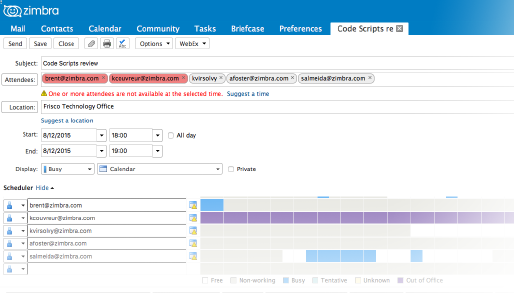
Invite attendees from Global Address List (GAL), view free/busy and set optional/mandatory
Set start-stop and duration times, automatically adjusted for users in other time zones
Choose locations, resources and add attachments
Configurable pop-up, email and SMS reminders
Fully customizable repeating event settings
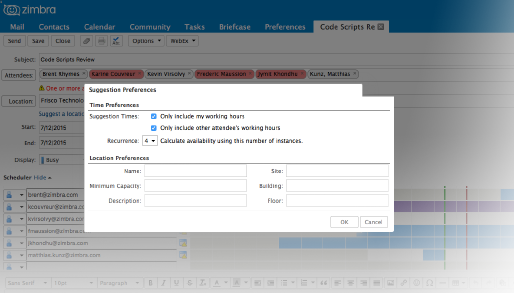
Group Scheduling Wizard finds an optimal time/place for large meetings in seconds
Preview invitees’ free/busy times
View time / date by number of available invitees
Auto-suggests next available time / locations
One click to preview all available conference rooms at selected time
Set building, floor and room capacity suggestion preferences
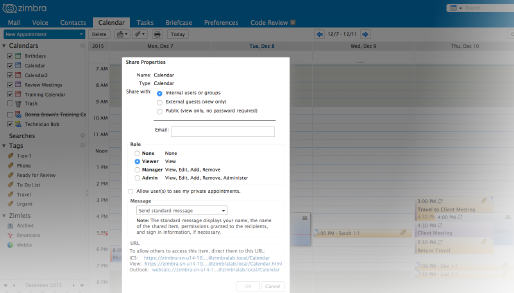
Delegate access to calendars and share calendars with peers
Right-click a Calendar icon to share it within or outside your workgroup
Grant others View, Manage or Administration rights
Allow delegates to schedule and accept meeting invites ‘on behalf of’
Publish Calendars publicly to the web and send anyone public ‘Free/Busy Links” to share your availability without having to sent explicit invites
Smart views for managing multiple calendars
Import any iCal feed or Google calendar into Zimbra Calendar to create a master free/busy view across work, club and personal calendars.
Create new Calendars to add Holidays, Sports, Facebook or Google Calendar as feeds in Zimbra
Set feed display color to easily tell them apart from work schedules
Choose whether feeds will appear in your global free/busy status across the organization
Save time and frustration by not starting over
Right-click an event to Create a Copy, which will preserve invitees, attachments and notes (such as dial in numbers)
Edit copied event without worrying about affecting original event
Use the Trash Folder to view and restore from a list of deleted events (storage retention policy is admin configurable)